Guide · 2 minutes
Bring in your files
Drop or choose anything. It's kept exactly as it came, stored once, and opens in the editor made for it.
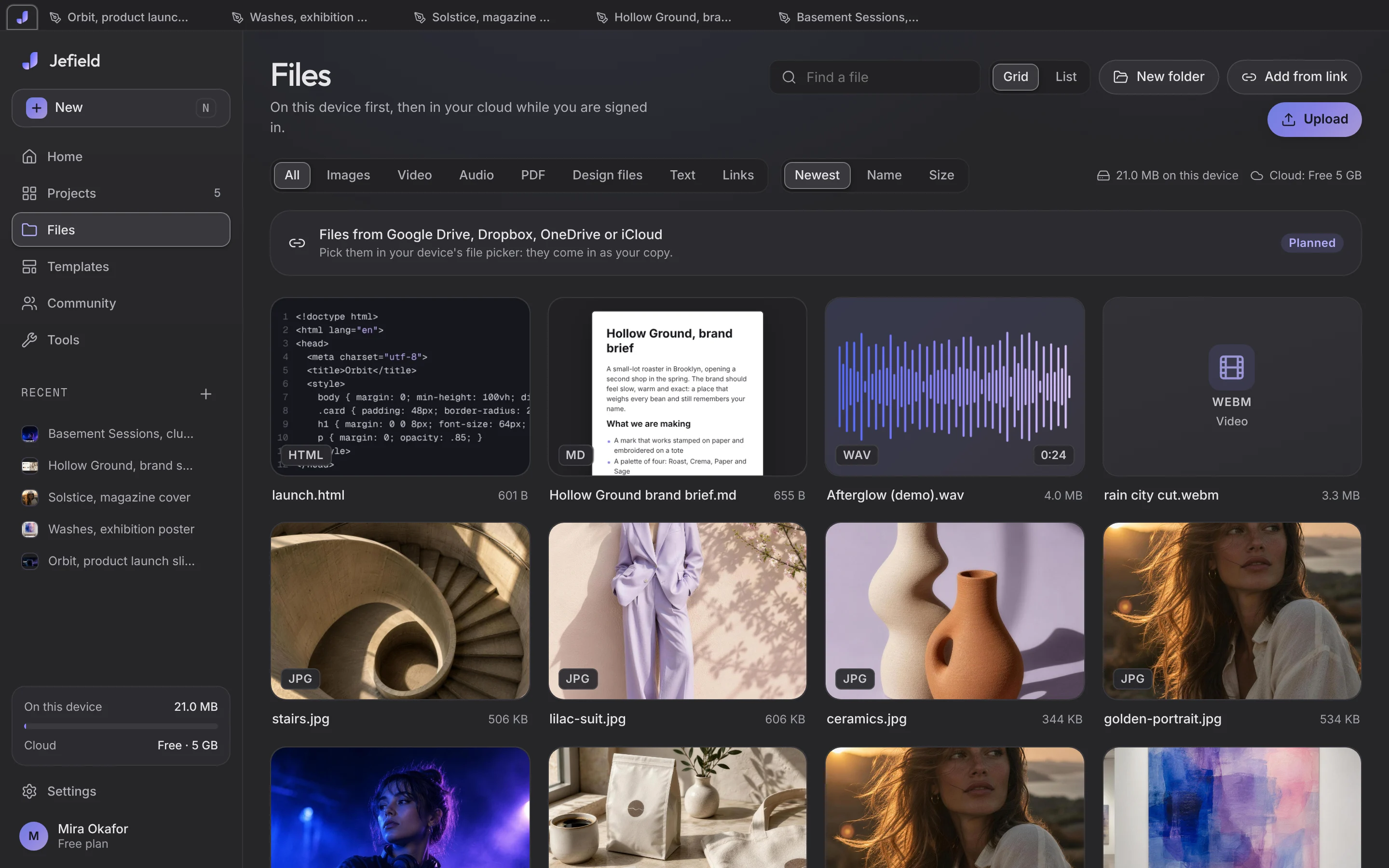
- Open Jefield in the browser at jefield.app/app, or from your Home Screen.
- Drop files anywhere in the window, or open Files and choose Upload. Pictures, video, sound, PDFs, PSDs, Word and Markdown files, code.
- Find them in Files, filtered by kind, as a grid or a list. The same file brought in twice is stored once.
- Open one with a double click, or right-click it and choose Open. A picture opens in Photo, a PSD in Layers with its layers, a video in the video editor, a sound in the sound editor, a document or code file in its own. Camera raw and EPS files are kept and can be downloaded, but no editor opens them yet.
Nothing is uploaded when you bring files in. They live on your device until you sign in to sync.