Guide · 2 minutes
Work on a project together
Share a project by link and work on it with anyone, live.
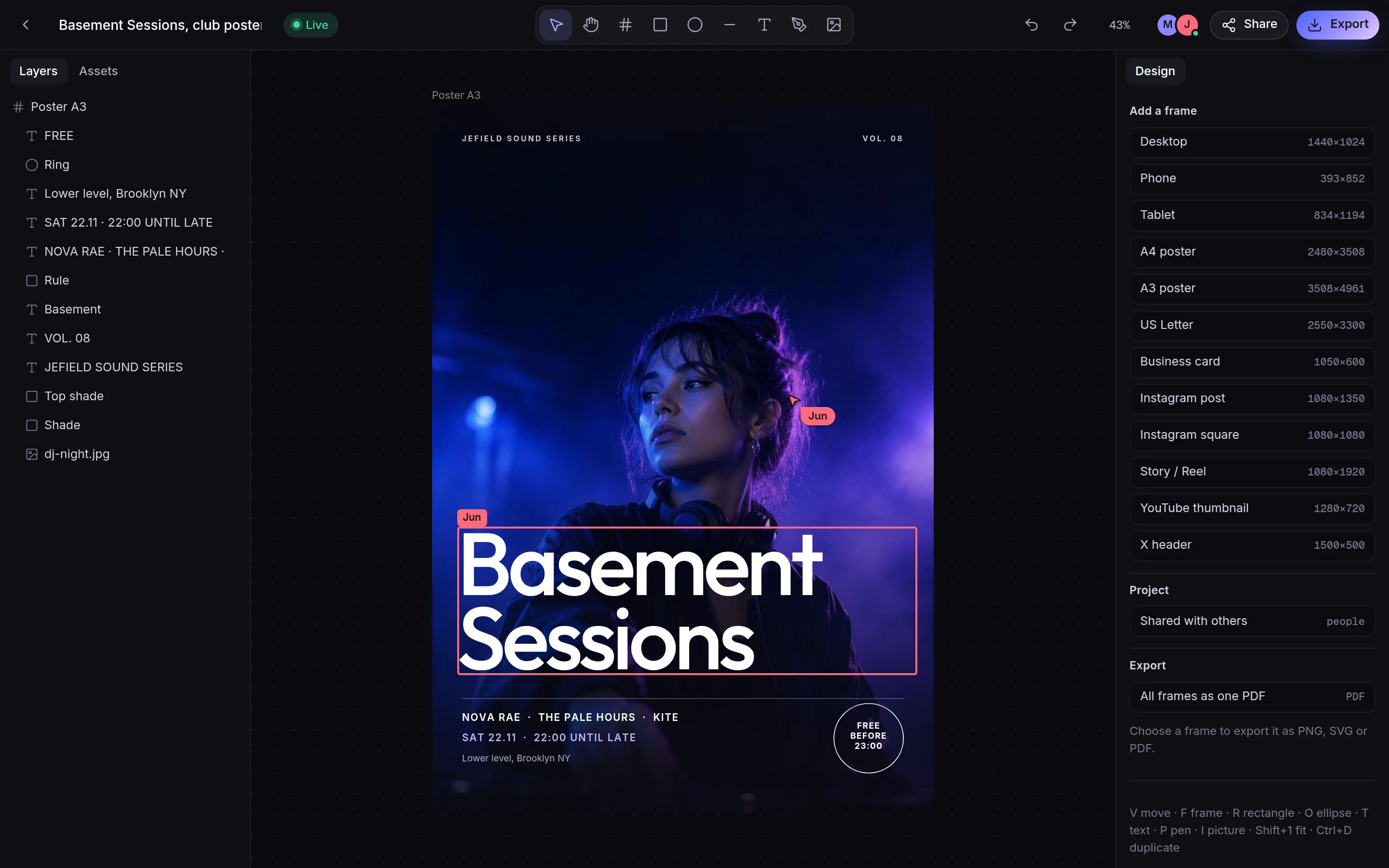
- Open a project and choose Share in the top bar.
- Type your name, so the others see who you are.
- Share this project. Jefield gives the project a sealed space of its own and two links: Can edit and Can view.
- Send a link. Whoever opens it is in the project with you: their avatar in the top bar, their cursor and name on the canvas, their changes on your screen as they make them. Live in the top bar means your screens are connected directly.
- Keep working if the connection drops. Changes made offline are merged when the device is back; nothing is overwritten.
- Stop sharing from the Share sheet when you're done. The others' copy stops changing, and each can keep one of their own as it stood; yours stays. Delete for everyone also takes the project off their devices.
Only that project is shared, never your library or your other files. An edit link can be passed on, like a key: send it only to people you'd hand the project to. Roles per person are planned.